2026-09-12
Industrial Website Design Examples for CNC Machine Shops
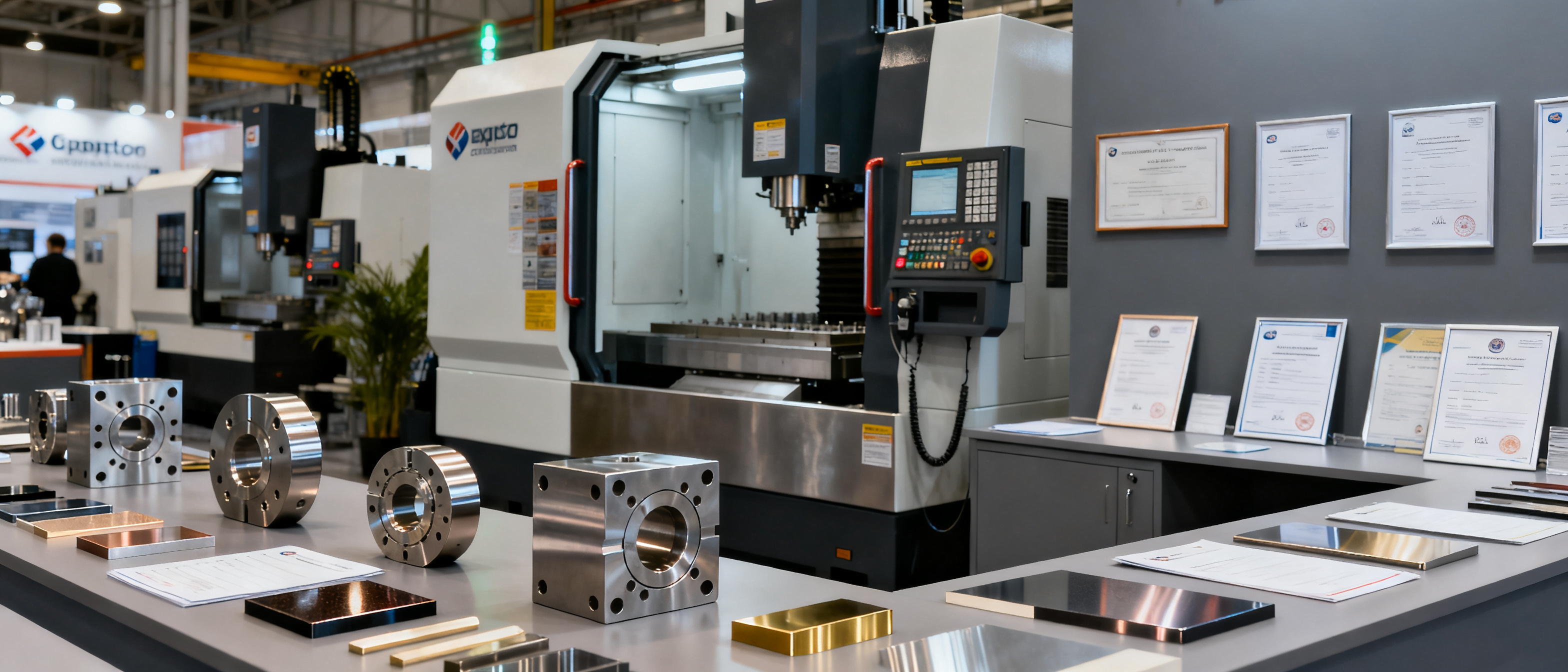
Looking for industrial website design examples for CNC machine shops that actually help you win RFQs? Most factory websites read like generic brochures, but procurement managers scan for capability data they can trust — tolerances, materials, finishes, and certifications — not stock photos. Good industrial website design examples for cnc machine shops put that data front and centre, structuring it into sections that a buyer can verify in seconds.
What Procurement Managers Expect from a CNC Machine Shop Website
Buyers sourcing machined components typically spend under 15 seconds on a supplier’s site before deciding whether to send a drawing. They are not looking for animation or pricing tables; they want evidence of fit. In dozens of interviews and industry surveys, industrial buyers consistently list five things they try to find immediately:
- Equipment and envelope. “Can they make this part?” A machine list with travel, spindle speeds, and quantity removes ambiguity.
- Typical tolerances. Stating ±0.05 mm doesn’t help if the buyer needs ±0.005 mm. Be specific about what’s routine and what’s achievable on request.
- Materials handled regularly. A shop that runs only aluminum won’t get a stainless-steel RFQ. Name grades: 6061-T6, 304L, PEEK, etc.
- Quality controls and certifications. ISO 9001 is baseline; even a CMM photo and an inspection report sample raise confidence.
- Real part photos. Generic stock images kill trust. Show off-complex parts you actually shipped, even if the customer’s name is hidden.
When an industrial website design examples for cnc machine shops page mirrors this mental checklist, the bounce rate from qualified buyers drops sharply.
Key Industrial Website Design Elements with CNC-Specific Examples
Rather than guessing what to put on each page, map real shop-floor data to design sections. Below is a comparison of how the same capability information can look weak or strong on a CNC job shop website.
| Capability Data | Weak Example | Trust-Building Page Design |
|---|---|---|
| Materials | “Various metals and plastics” | Table with columns: Material / Grade / Common applications. e.g., Stainless Steel 304 / 316L / 17-4PH for medical device housings. |
| Tolerances | “High precision” | Dimensional ±0.005 mm (typical), GD&T reference frame, sample CMM report snippet embedded as a static image. |
| Machines | Text list: “3-axis VMC x5” | Categorised equipment grid showing brand, model, travels, max spindle speed, and number of axes, alongside a photo of the shop floor. |
| Finishes | “Anodizing, painting” | Finish selector with visual swatches and lead-time notes, e.g., Type II anodize (clear/black) – 3 working days. |
| Certifications | Small jpg logo in footer | Dedicated “Quality” page with cert number, scope, issuing body, inspection equipment photos, and a link to download the actual certificate. |
In dissecting industrial website design examples for cnc machine shops, the difference is never about visual polish alone. It’s about answering the buyer’s one question — “can you make my part, and can I prove it?” — with structured data that a non-engineer procurement officer can also scan.
Turning CNC Capability Data into Trust-Building Page Sections
A common trap is to list every machine ever owned and still sound vague. Instead, treat your website as a decision-assembly line: each section converts one raw shop-floor fact into a trust signal.
- Capabilities summary above the fold. A compact hero section that states max part size, materials group, tolerance range, and batch size you handle, plus one “typical part” photo. This alone can replace a 10-page PDF.
- Machine list as a proof, not a price list. Organise machines by type (turning, milling, 5-axis, Swiss) and show them in use. A buyer who sees a Mori Seiki NLX paired with a live-tooling photo knows you handle complexity without being told.
- Quality page as a process, not a logo. Describe in-process inspection, final inspection, and documentation. Embed a blank FAIR report template with an explanatory note. If you hold ISO 13485 or IATF 16949, explain what that means for the buyer’s part — traceability, PPAP support, etc.
- Finishes & secondary ops as a decision tree. A simple table or interactive list lets the buyer mentally check off post-processing without emailing. Even static HTML with icons reduces the RFQ friction.
- Case snippets, not portfolio galleries. A paragraph plus a photo of a complex mill-turn part with a challenge line (“held 0.002 mm concentricity across three datum faces”) carries more weight than 20 anonymous parts.
When machine shops test these sections with real buyers, they find that the contact form becomes an inquiry-qualification conversation, not a “send me a quote” black hole.
Common Mistakes CNC Shops Make (and How to Fix Them)
Even well-equipped shops lose inquiries because of simple website errors that procurement managers read as red flags.
- Hiding the location. A buyer in Germany needs to know if you’re in Shenzhen or Chicago for logistics. Fix: put city/country in the footer and on the contact page, and mention shipping terms you regularly support.
- Using only PDF downloads. A 15 MB equipment catalogue is almost never opened. Fix: migrate the key data into HTML — the machines, tolerances, and materials — and offer the PDF as an optional deep dive.
- No mobile view of the capabilities table. Procurement officers often check a supplier on their phone. If your equipment list becomes horizontal scroll hell, they’ll close the tab. Fix: use responsive
<table>wrapping or convert tables to stacked rows on small screens. Core Web Vitals data confirms that poor mobile experience correlates with higher bounce rates on manufacturing sites. - “Contact us for a quote” without context. If you ask the buyer to fill out five text fields before they know whether you even machine brass, they won’t start. Fix: include a simple RFQ form that auto-suggests common specs (material, qty, tolerance) based on what you already displayed on the page.
- No third-party proof. Even without a brand name logo, you can reference customer industries (e.g., “supplied hydraulic manifold for European construction OEM”) and embed a Google Maps review widget. Buyers trust external signals.
These fixes usually don’t require a full redesign; they’re content and structuring decisions that any small website platform — or a static HTML export — can support.
FAQ
Should I list every machine on the homepage?
No. The homepage should summarise your envelope: max part size, materials, tolerance range, and whether you handle prototypes, production, or both. Put the full machine list on a dedicated “Equipment” page, grouped by type. Buyers scanning industrial website design examples for cnc machine shops want to see the summary first; the deep list becomes relevant when they shortlist your capabilities.
How do I build trust without ISO certification?
Proving process control doesn’t require ISO. Show a photo of your CMM or vision measurement system next to a real inspection report (with customer details hidden). Include a short description of your first-article inspection workflow. Mention training or adherence to a known standard like AS9100 even if not certified — the transparency signals a mature shop.
What’s the single most effective thing I can add to a CNC shop website today?
A “typical tolerance” table with materials cross-reference. For example, a row that reads: Aluminum 6061 – turning ±0.01 mm, milling ±0.02 mm. Pair it with one photo of a finished part that achieved those numbers. This combination answers the buyer’s core question without a phone call and immediately distinguishes you from shops that only write “high precision.”
Do I need a separate mobile website for my CNC shop?
Not a separate website, but your existing one must be responsive. Around 40% of industrial buyers now visit supplier sites on mobile devices first, according to Google’s own guidance. Make sure equipment tables, certification logos, and contact buttons reflow on small screens; a broken mobile view erases the trust you built on desktop.