2026-09-10
Commissioning a Factory Website: What to Prepare, Specify, and Avoid
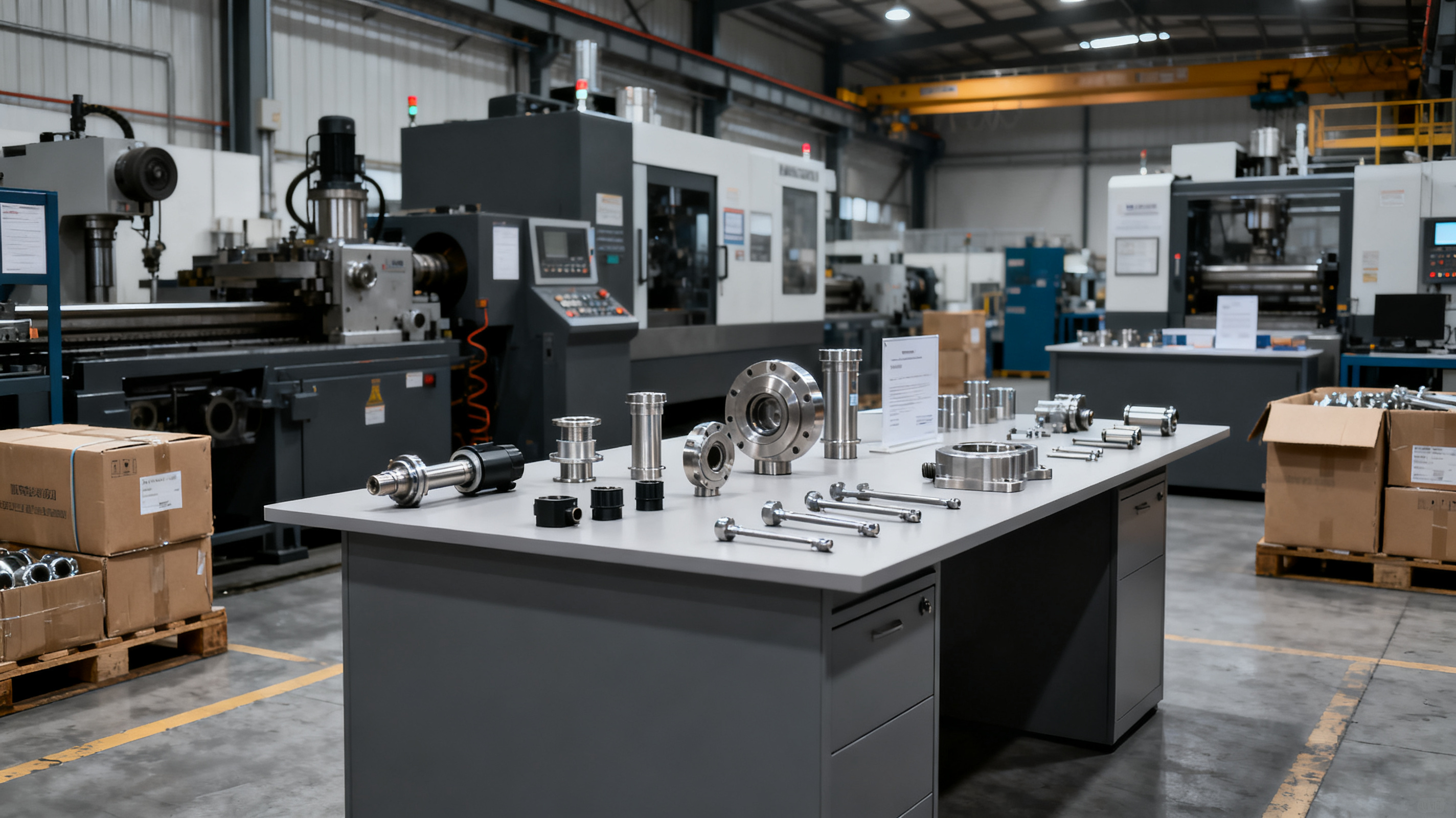
Commissioning a factory website means hiring a developer or agency to build your online presence, but the real work starts long before the first line of code. You need to prepare specific, buyer-facing details about your manufacturing capabilities, quality processes, and real-world proof points. Skip that step and you’ll receive a hollow template—the kind of site that overseas procurement managers abandon in under 10 seconds because it screams “reseller” or “no real factory.”
What ‘Commissioning a Factory Website’ Actually Means
When a hardware OEM or small manufacturer commissions a factory website, they are not buying a finished product off a shelf. They are briefing a web professional to build a tool that communicates trust, capacity, and competence to a specific audience: international buyers, sourcing agents, and industrial distributors who scan dozens of supplier sites a day. The term “commissioning” implies a handover of requirements—an agreed scope, a set of assets, and a clear idea of what the finished site must do. Too often, factory owners assume the developer will “fill in the blanks” with stock photos and generic industry text. That produces a site that looks like every other OEM factory in the same Google search results, costing you RFQs before you even get a chance to quote.
In practice, commissioning a factory website means you—the factory team—are responsible for supplying the raw material that makes the site authentic. The developer’s job is to structure that material so it loads fast, appears professional, and answers the questions a buyer asks in the first ten seconds. The discipline is not technical; it’s editorial. You are commissioning a vessel for your factory’s story, not ordering a logo-and-colours template.
What to Prepare Before You Commission a Hardware OEM Site
Before you write a single sentence of a brief, gather the proof points that separate a real factory from a trading company. Buyers who scan supplier sites are looking for signals of operational depth, not marketing polish. The following assets should be ready before you talk to a developer:
- Factory-floor photos and a short video walkthrough – Show the production line in operation, not empty hallways. A 30-second smartphone clip of a machine running, with realistic lighting, builds more trust than a staged corporate photo.
- Product line snapshots – Clear, high-resolution images of your core products on a neutral background. Include at least 5–10 distinct SKUs; avoid renders unless you add a real photo beside them.
- Quality-control documentation – List of certifications (ISO, CE, UL, etc.), pictures of testing equipment, and a sample QC checklist. This is the single most important trust trigger for sourcing managers.
- Company timeline and team – Year founded, export markets served, approximate headcount, and a few candid team photos. Buyers want to know you’ve been doing this for a while and have a real team behind the email signature.
- Customer & trade-show evidence – A bullet list of industries you serve, countries you ship to, and any trade shows you attend (with booth photos). Even a short list of recognizable client names, with permission, moves the needle.
- Domain and email details – Your own domain (e.g., yourfactory.com) and a business email address on that domain. A Gmail or Yahoo address on a contact page signals “small trader” to most B2B buyers.
When you hand a developer a folder containing these assets, you are commissioning a factory website that stands on its own facts, not on borrowed stock photography. The result is a site that answers the buyer’s silent question: “Is this a real manufacturer I can trust to ship my order?”
How to Specify Pages and Content That Buyers Actually Scan
Buyers do not read a factory website; they scan it. Research from the Nielsen Norman Group shows that industrial buyers often spend less than 10 seconds on a homepage before deciding whether to stay or leave. That means your specification must match the scanning pattern. The typical hardware OEM site needs only four to five core pages, each with a single clear job:
| Page | What it must communicate (in 10 seconds) | What to avoid |
|---|---|---|
| Home | What you make, your core advantage, and that you are a real factory. Include a hero image of your production floor and a one-line USP. | “Welcome to our website,” meaningless slideshows, vague mission statements. |
| About / Company | Year founded, location, export markets, team size, certifications. A timeline graphic helps. | AI-generated text about “global synergy.” No photos of office buildings only. |
| Products / Capabilities | Clear product categories with thumbnail images, a short description of each, and a “Request quote” button. | 200 products dumped on one page with no filtering. Renders that look like clip art. |
| Quality Control | Photos of QC lab, list of testing equipment, sample inspection checklist, and a brief explanation of your process. | Only a single sentence like “We have strict quality control.” No proof. |
| Contact | Factory address (with a map embed), business email, phone with country code, and a short inquiry form. | Hiding the address, using a personal Gmail address, or a contact form that breaks after submit. |
When specifying content, give the developer the exact text for each page, not a vague idea. Write in simple, short sentences that a non-native English speaker can scan quickly. Use bullet points for specs, not dense paragraphs. And if you plan to sell through a separate marketplace like Alibaba or Made-in-China, your own-domain site should still carry the same factual consistency—a buyer will cross-check both. The goal is not to win a design award; it’s to pass the 10-second scan and get the buyer to click “Contact.”
Common Commissioning Mistakes That Cost You RFQs
Even after you’ve prepared the right assets and specified smart pages, certain traps can quietly kill your inquiry rate. The most expensive mistakes are rarely about design; they’re about missing trust signals and technical friction.
- Letting the developer write your story – A developer cannot know your factory’s real strengths. When you commission a factory website without providing raw material, the result is almost always generic filler. Buyers recognize AI-written text instantly and bounce.
- Hiding your location or using a virtual office – A real street address, combined with a Google Maps embed, is one of the strongest trust signals. If you’re embarrassed about your neighbourhood, take photos of the factory gate instead of the street, but never conceal the address.
- No real machine or worker photos – Stock photos of spotless cleanrooms from Shutterstock tell buyers you’re a trading company. Even a slightly blurry photo of your CNC machine with a real operator in the background is worth more than a perfect stock image.
- Slow page loads and unresponsive design – A factory website that takes more than 3 seconds to load on mobile will lose 53% of visitors (Google data). Sourcing managers often open supplier sites on a phone between meetings. Ensure your developer delivers a site that passes Core Web Vitals thresholds.
- Outdated or broken contact methods – An email address that bounces, a phone number with no country code, or a contact form that never arrives. Test every channel every month and put a real person behind the inbox.
- Ignoring on-page SEO fundamentals – Even the best factory site loses value if it doesn’t appear for searches like “hardware OEM manufacturer” or “screw factory China.” Specify unique page titles, meta descriptions, and factual alt text for images. More context can be found in Google’s guide on creating helpful, people-first content.
When you commission a factory website, treat the brief as a set of instructions for building a trust machine, not a brochure. The factories that get the most RFQs are those that hand over raw, unfiltered proof of their manufacturing reality—and then let the developer package it for scanning speed.
FAQ
How much does it cost to commission a factory website in 2025?
Costs vary widely depending on scope and region. A simple 4–5 page OEM site with your own content can range from $500 to $3,000 if built by a freelancer on a platform like WordPress or a static site generator. A custom-coded site with advanced features (multilingual, product configurator, ERP integration) can reach $8,000–$15,000. Always confirm whether ongoing maintenance, hosting, and content updates are included in the quote, and ask for a breakdown of the one-time versus recurring fees.
How long does it take from brief to a live factory website?
If you supply all content and assets upfront, a straightforward 4–5 page site can go live in 2–4 weeks. The bottleneck is almost always the factory’s side—collecting photos, writing product descriptions, and finalizing the company story. Plan for an extra week of review and testing after the first build is delivered. Rushing the content phase to hit a deadline often results in a site that looks unfinished.
Can I use my own domain after commissioning, and why does it matter?
Yes, and you absolutely should. A custom domain (e.g., yourfactory.com) signals permanence and ownership. It also allows you to build domain authority over time, which helps your site rank in Google for relevant buyer searches. If a developer insists on a subdomain (e.g., yourfactory.developerplatform.com), push back—it’s harder to migrate later and looks less professional to sourcing managers.
What if I don’t have professional photos of my factory yet?
Hire a local photographer for a half-day shoot. Provide a shot list: exterior signage, production line in operation, QC lab, packaging area, loading dock, and a few team shots. The cost is usually $100–$300 in most manufacturing regions, and it’s the single best investment you can make before commissioning a factory website. If you must take photos yourself, use a recent smartphone in good light, shoot horizontally, and avoid digital zoom.