2026-08-16
How to Build an Industrial Supplier Website That Earns Trust
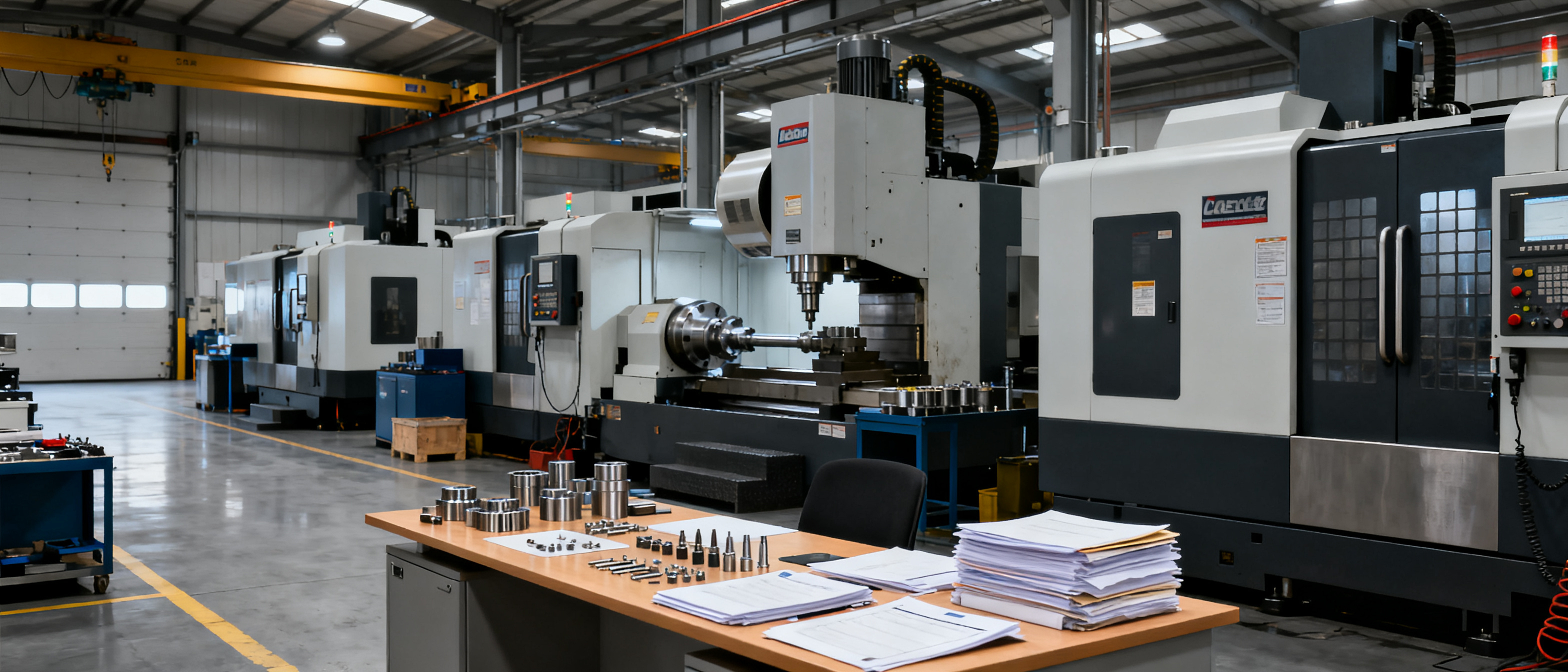
To build an industrial supplier website that earns trust, you need to move beyond generic portfolio templates and address the specific, unspoken questions a procurement engineer has when scanning a new supplier. For a CNC machining shop, that means showing real tolerances, material capabilities, inspection gear, and a frictionless RFQ path—all within the first 10 seconds of a browsing session. The same logic applies to sheet metal, injection molding, or textile manufacturers: the website must act as a transparent substitute for a factory visit, not a brochure.
Key differences from a generic business site
A generic small-business site might lead with a hero image and a mission statement. An industrial buyer doesn’t care about your “passion for precision” until they’ve verified you can actually hit ±0.005 mm. The table below highlights the practical gap between a standard template and a site that answers the buyer’s real concerns.
| Element | Generic business site | Industrial supplier website |
|---|---|---|
| Homepage hero | Vague value proposition | Capability summary: processes, materials, tolerances |
| About page | Company history | Floor space, machine list, QC lab, production capacity |
| Product / service pages | Static images | Drawings, surface finish options, MOQ, lead time ranges |
| Trust signals | Testimonials | Audited certifications, in-process inspection photos, material certs |
| Contact | Generic form | RFQ form with file upload, WhatsApp, technical contact |
When you approach building an industrial supplier website, the first step is to accept that your audience is judging your ability to deliver a physical part, not your design aesthetics. Even a single-page site can outperform a 10-page brochure if the technical content is right.
The technical content that answers buyer questions before they ask
A procurement engineer in North America or Europe will typically scan a CNC supplier’s website for three things in under 10 seconds: maximum machining envelope, achievable tolerances, and material list. If those aren’t visible, the tab closes. The good news is that this content rarely changes, so you can define it once and reuse it across your site, digital card, and brochure.
For a CNC machining shop, the following technical content belongs on the site, often on a single dedicated “Capabilities” page:
- Materials: aluminum (6061, 7075), stainless (304, 316), brass, PEEK, etc. – list exactly what you stock or machine regularly.
- Tolerances: state typical precision (e.g., ±0.01 mm) and the best achievable under controlled conditions.
- Surface finishes: anodizing, bead blasting, passivation, powder coating – with clear examples of each.
- Equipment list: CNC mills, lathes, 5-axis machines, plus inspection tools (CMM, optical comparator).
- Lead times: realistic ranges for prototyping vs. production runs, often expressed in working days.
- MOQ and pricing logic: whether you accept 1-piece prototypes or only 100+ batch orders.
This isn’t about SEO tricks; it’s about answering the buyer’s internal checklist before they even pick up the phone. A platform like B2B Frontage can help you organize this knowledge once and publish it consistently across your site, digital business card, and shareable outreach packs—without needing a developer to tweak every page.
Quality proof: certifications, in-house QC, and the evidence buyers expect
Industrial buyers in high-cost markets need to justify their supplier choice to their own engineering or compliance teams. That means they’re looking for evidence of quality that goes beyond words. Even a small factory can signal reliability by showing the following:
- ISO 9001 certification: if you hold it, display the certificate number and issuing body. If not, show the internal quality processes you follow.
- In-house inspection reports: a sample FAIR (First Article Inspection Report) or a typical dimensional report with CMM data goes a long way.
- Photos of the QC lab: even a smartphone shot of a calibrated micrometer or a CMM machine next to a production lot builds instant credibility.
- Material certificates: for aerospace or medical, showing you can supply mill certs is often a deal-breaker.
- Customer reference snippets: a short note like “Supplying precision aluminum parts for a German automotive tier-2 since 2019” is more powerful than a generic testimonial.
When you build an industrial supplier website, you can embed these trust signals directly on the homepage or a dedicated quality page. The goal is to make the buyer’s due diligence as easy as possible; they shouldn’t have to email you to ask if you own a CMM.
Designing the RFQ path: from first glance to inquiry
A trust-building site doesn’t just answer questions—it actively guides the buyer toward a low-friction inquiry. The RFQ (Request for Quotation) path should be the clearest call-to-action on every page. For CNC machining, that means:
- One-click RFQ button that stays visible on mobile, leading to a simple form.
- Form fields that match the buyer’s workflow: ask for drawing/STP file upload, quantity, material preference, and a brief description. Don’t require a 12-field registration.
- Alternative contact channels: a WhatsApp number or a direct email for urgent technical questions—many buyers in Asia and Europe prefer instant messaging.
- Immediate acknowledgment: an auto-reply that confirms receipt and gives a realistic response time (e.g., “We’ll provide a quote within 24 hours, including a DFM review if needed”).
Page speed also matters here. If the RFQ form takes three seconds to load, you’ll lose inquiries. A clean, managed frontage that avoids heavy CMS plugins and bloated builders will keep the experience fast. For reference, Google’s Core Web Vitals recommend an LCP under 2.5 seconds and a FID under 100 ms, which are achievable when you keep the front-end lean.
FAQ
What technical specs do I need to show on my CNC machining website?
At minimum, you should display your machining envelope (max part size), achievable tolerances (e.g., ±0.01 mm), and a list of materials you process regularly. Buyers also look for surface finish options, equipment list, and typical lead times. If you serve regulated industries, include your certification status and any specialized inspection capabilities like CMM reports.
How can I prove my quality as a small manufacturer without a famous brand?
Show concrete evidence: a photo of your QC workstation with a calibrated micrometer, a sample dimensional report, or a real ISO certificate number. Even a short video of a part being inspected on a CMM builds trust. Customer references like “supplying precision components for a European robotics firm” also carry weight, especially if you can name the industry and the application.
How do I make it easy for a buyer to request a quote and get a fast response?
Keep the RFQ form short—ask for a drawing file, quantity, material, and a brief note. Offer a direct WhatsApp or email link for urgent technical questions. Set an auto-reply that confirms receipt and gives a realistic turnaround time, such as 24 hours. Test the form on a mobile phone to ensure file uploads work smoothly; many buyers will contact you from a phone right after finding your site.
References & Further Reading
- B2B Frontage demo hub – see how a managed industrial frontage comes together.
- CNC machining demo site – a concrete example with technical content, RFQ path, and trust signals.
- B2B Frontage knowledge rules – how the platform structures your factory knowledge once, then publishes everywhere.
- B2B Frontage blog – more guides for manufacturer websites, digital packs, and outreach.
- Web Vitals for site performance – practical guidance on keeping your supplier page fast and conversion-friendly.